What Works, What Does Not, and What to Expect in Practice
Remote Help matters because it changes the trust model of remote support. It replaces more implicit, always-there access patterns with something more identity-bound, explicit, and governable.
Remote support is one of those areas where many organizations still say the right things about security, but operate in ways that clearly belong to an older trust model.
Not because remote support itself is new, but because the older model often came with too much implicit trust, too little visibility, and far too much standing access.
That is what makes Remote Help in Intune interesting. Not because it is new, but because it comes with a different security model.
What makes Remote Help interesting is that access is tied to named identities, the session is explicit, and what happens is visible afterwards. That is a meaningful difference compared to older remote support models.
Key takeaways: Remote Help makes the most sense when you evaluate it as a secure, identity-based support capability rather than a direct clone of older remote administration tools. Its strengths are clear identity binding, RBAC, session visibility, and alignment with a broader Intune and Zero Trust model. Its trade-off is intentional friction, and the experience still varies by platform.
On paper, that sounds straightforward.
And yes, compared to many older tools, it is an obvious improvement.
Why remote support is still a security problem
Remote support itself is not the problem.
The problem is more how it has traditionally been implemented: shared credentials, weak or inconsistent MFA, and limited visibility into what actually happened.
From a Zero Trust perspective, that older model is honestly quite hard to defend.
Both the helper and the user sign in with Microsoft Entra accounts from the same organization, and the session is tied back to those identities.
It may sound like a small change when you describe it like that. In reality, it changes the whole character of the support session.
How Microsoft Intune Remote Help works in practice
The first thing you notice is that nothing really happens in the background. The session is intentionally started, approved by the user, and limited in time.
The user launches Remote Help, shares a code, and allows the connection.
That is very different from tools where the session is already there and the helper can just jump in.
At first, some people experience that as friction. Personally, I think it is closer to intentional control than bad user experience.
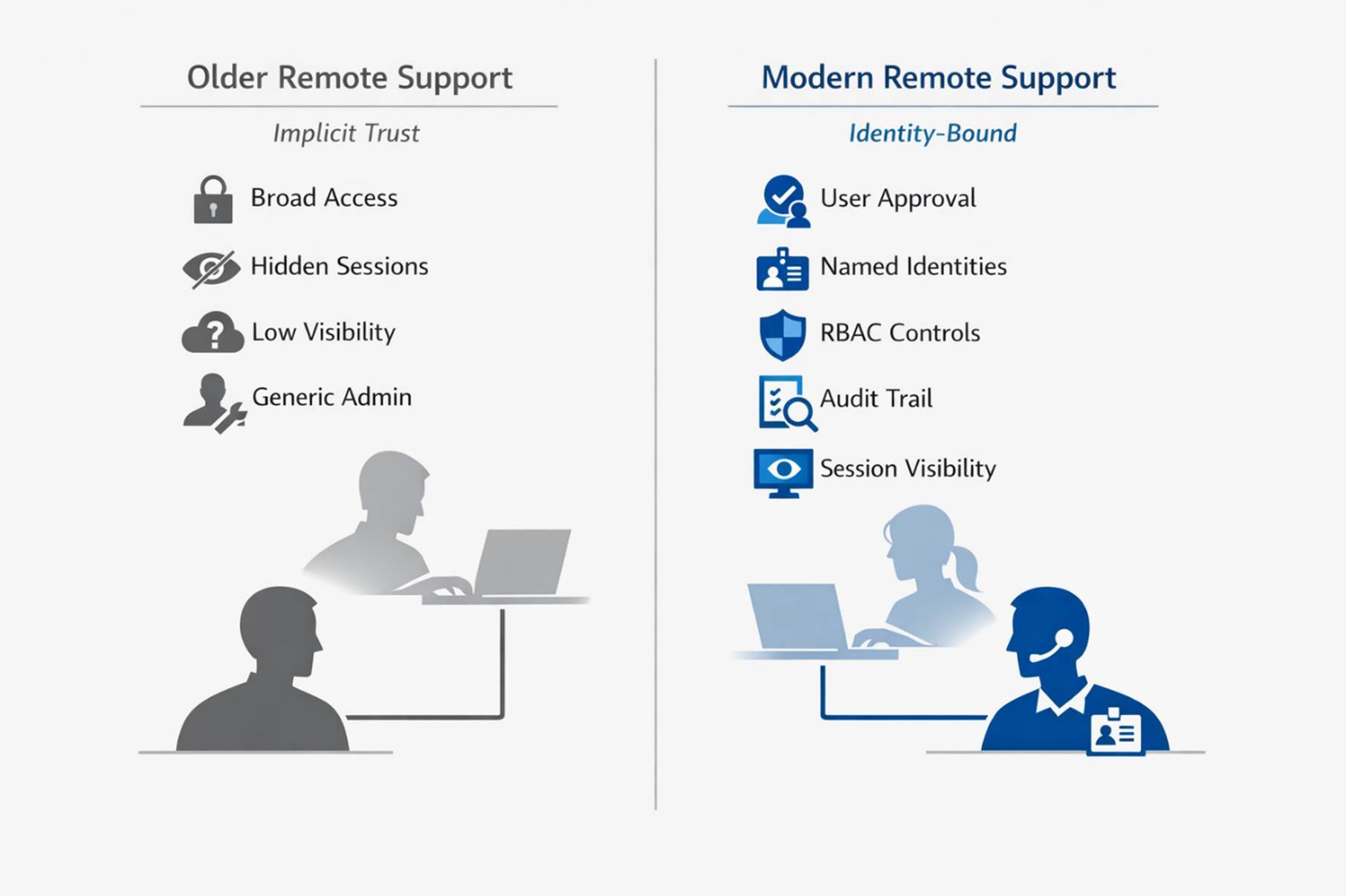
The real shift is not just how the session starts. It is that access becomes identity-bound, explicit, and governable instead of broad and implicit.
Where platform differences become real
Remote Help is not just Windows. But if you look at Microsoft’s own guidance, it is also clear that support capabilities and security controls are not identical everywhere.
This is where things start to feel different depending on the platform. On Windows and macOS, it feels much closer to a full remote support experience. On mobile devices and in browser-based sharing scenarios, it often feels more like guided assistance than full hands-on support.
That does not necessarily mean something is wrong. It just means the experience is not identical everywhere, and that becomes obvious fairly quickly if you work in mixed environments.
To me, that is less a flaw and more a reminder to stop thinking about Remote Help as one perfectly uniform experience across every device type.
Where the first friction usually shows up
This is usually where the first frustration shows up. Not because the product is broken, but because people still come into it with expectations shaped by older remote administration tools.
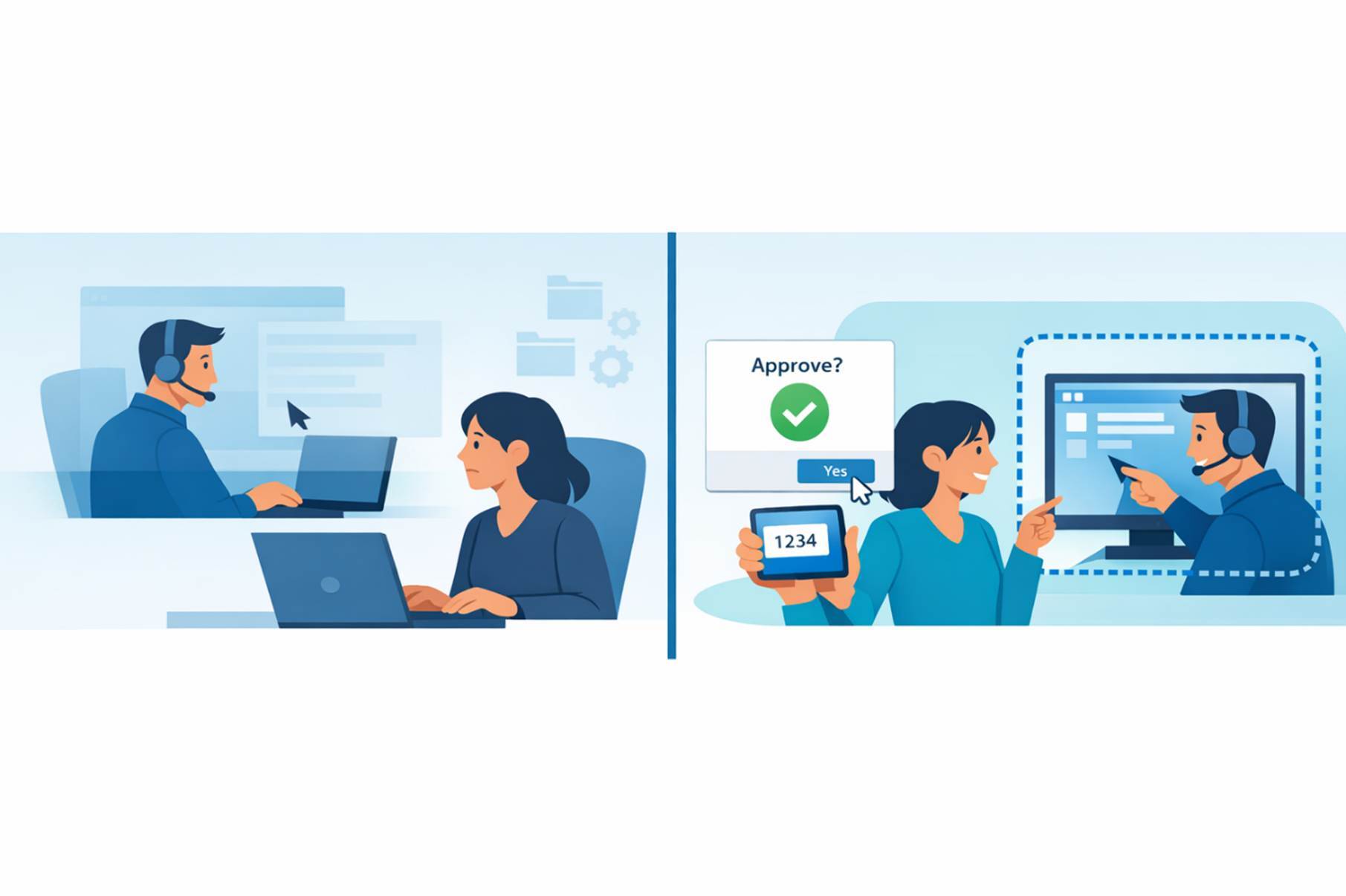
The real difference is not just technical. Older remote support often happens around the user. Remote Help is designed to happen with the user as part of the control model.
The user experience needs a little onboarding
Users need to start the app, enter a code, and approve access. If they have never done it before, it is not always obvious.
Once people have done it once or twice, it usually settles down. But there is a real onboarding step here, and I think it is better to say that plainly than pretend it is frictionless.
Elevation is not “magic”
This is one of the more subtle parts of the product.
Remote Help does not bypass the operating system security model. UAC still behaves like UAC, permissions are still what they are, and RBAC still decides what the support engineer is allowed to do.
Even if you have full control in the session, that does not automatically mean you can do everything you expect. On supported platforms, helpers with the right Remote Help permissions can perform elevated actions, but Remote Help still operates within the device and operating system security model.
That is logical once you think about it, but it is also one of the places where people realize this is not the same thing as traditional remote administration.
It makes more sense together with the rest of Intune
On its own, Remote Help works. But it becomes more useful when it is part of something bigger, with compliance policies, Conditional Access, and structured support processes around it.
If you look at it as a standalone utility, it can feel a bit limited. If you look at it as part of a broader Intune and Zero Trust operating model, it makes a lot more sense.
Performance still depends on reality
Just like any remote tool, network and device performance still matter. Most of the time it works fine, but you will notice weaker environments.
Microsoft Intune Remote Help unattended access and governance
This is probably the question that comes up most often, and it is also where expectations drift back toward older remote administration tools.
Today, Remote Help still makes the most sense as an attended, identity-bound support tool, where the user is part of the control model, the session is explicitly started and approved, and nothing is meant to happen silently in the background.
That is a big part of why Remote Help fits well in a Zero Trust conversation. Trust is tied to identity, the session is visible, and user presence is still one of the controls.
That distinction matters, because it also explains why Remote Help has never really felt like a direct replacement for older always-on remote administration tools.
Microsoft’s planning guidance now also acknowledges unattended scenarios as something that needs deliberate role design and least-privilege planning, rather than being treated as a default support model.
To me, that is probably the most important part. Once unattended becomes part of the conversation, you also have to think differently about trust, permissions, and governance.
So if unattended scenarios become part of your support model, they should be treated as a higher-trust capability. In practice, that means tighter governance around who is allowed to perform it, which devices and support tiers it applies to, how strongly helper identities are protected, and how sessions are monitored and reviewed over time.
Microsoft’s current guidance also makes it clear that Conditional Access support for Remote Help is currently limited to Windows and macOS. So platform differences still matter both operationally and from a governance perspective.
So, can it actually replace older remote support tools?
Depends on what you expect.
If you are looking for secure, identity-based support with clear auditing and controlled access, then yes, for a lot of scenarios it works well. If you expect deep automation, always-on access, or full parity with older remote management tools, then no, not completely.
But I think that is also the wrong benchmark in many cases. The better question is whether that older model is really something worth preserving.
Conclusion
To me, Remote Help is interesting for one main reason: it forces remote support into the same model as everything else — identity, control, and traceability.
It does introduce some friction. But most of that friction is intentional, and from a security perspective it is often a trade-off worth making. If you are already operating in Intune and moving toward a more Zero Trust-aligned support model, Remote Help makes sense. Just do not judge it as if the goal were to recreate old invisible admin habits in a newer interface.
FAQ: Microsoft Intune Remote Help
Why does Microsoft Intune Remote Help sometimes feel more restrictive than older remote support tools?
Because it is designed around explicit user consent, named identities, RBAC, and session visibility rather than silent background access. That can feel like friction if you are used to older remote administration tools, but in practice it is also part of what makes Remote Help a better fit for Zero Trust-style support.
Does Microsoft Intune Remote Help support unattended access?
Remote Help is easiest to understand as an attended, identity-bound support tool. Microsoft’s planning guidance also acknowledges unattended scenarios as something that needs tighter role design, least-privilege planning, and closer control around permissions, device scope, and monitoring rather than being treated as a default support model.
Does Microsoft Intune Remote Help work with UAC on Secure Desktop?
Remote Help does not bypass the Windows security model. On Windows, helpers with the required Remote Help permissions can interact with UAC prompts and enter credentials for elevated actions. Without the right permissions, elevation-related actions may not work as expected during the session.
Which platforms does Microsoft Intune Remote Help support?
Remote Help supports Windows, macOS, Android, iOS/iPadOS, and browser-based sharing, but the experience is not identical across platforms. In particular, Microsoft’s web app experience is for the sharer and gives the helper view-only access.
Why would organizations choose Microsoft Intune Remote Help instead of a traditional remote administration tool?
Because the value is not just remote control. It is the combination of named identities, explicit user consent, RBAC, auditability, and alignment with a broader Intune and Zero Trust operating model. If that is what you are optimizing for, Remote Help makes much more sense than older tools built around standing access and implicit trust.