AdminCenter

We know that when you are onboarding your personnel to ServiceDesk or IT Operations it can take weeks until they up and running to support your end users. They are struggling with multiple consoles, tools, accounts and roles to support their end users and their devices.
 
Onevinn AdminCenter focuses on saving time, managing and troubleshooting a modern managed client. Focusing on adding value and filling the gaps in functionality with what we and our customers see when managing a modern managed Zero-Trust device.
Onevinn AdminCenter provides a webbased admin user interface where many of the tasks involved with troubleshooting can easily be managed, hosted in the customer’s own Azure subscription with full support for RBAC, PIM and 
Conditional access to provide a secure solution.
 

Functions & features included in Onevinn AdminCenter:

Check mark in a circle

Application Management

Distribute applications and manage Entra ID group membership based on permissions and remotely reinstall Required Intune Apps without remote controlling and interrupting the end user to solve issues.


Check mark in a circle

Remote Control

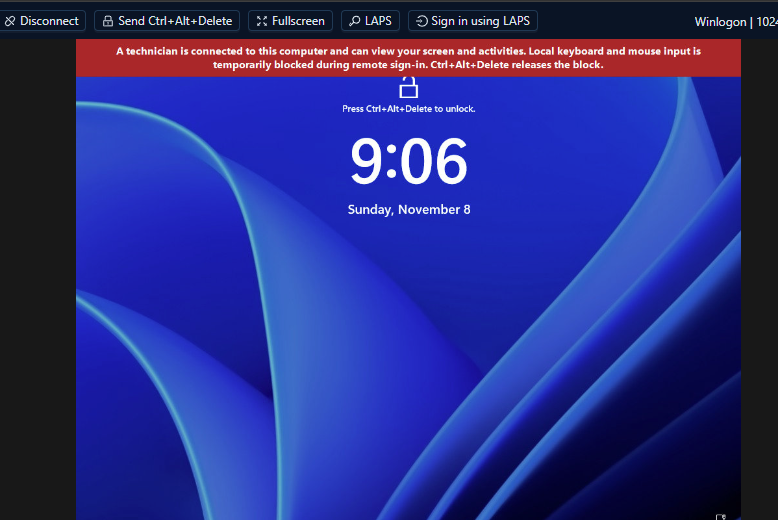
Remote Control the end-user’s computer directly in the AdminCenter portal, with support for automatically retrieving the Windows LAPS password for the computer being remotely controlled and populating it in the admin prompt for you.

Onboarding Readiness Workshop

Remote Powershell & Remote Tools

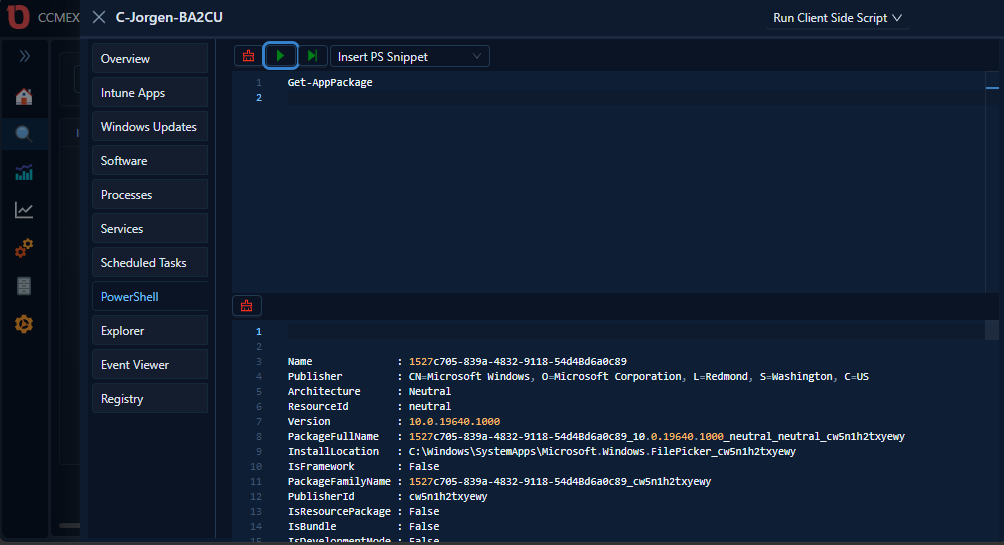
Run PowerShell scripts remotely on clients including an Interactive live remote PowerShelI prompt. Edit registry, control services, schedule tasks and copy log files directly in the AdminCenter portal.


Check mark in a circle

Client Management

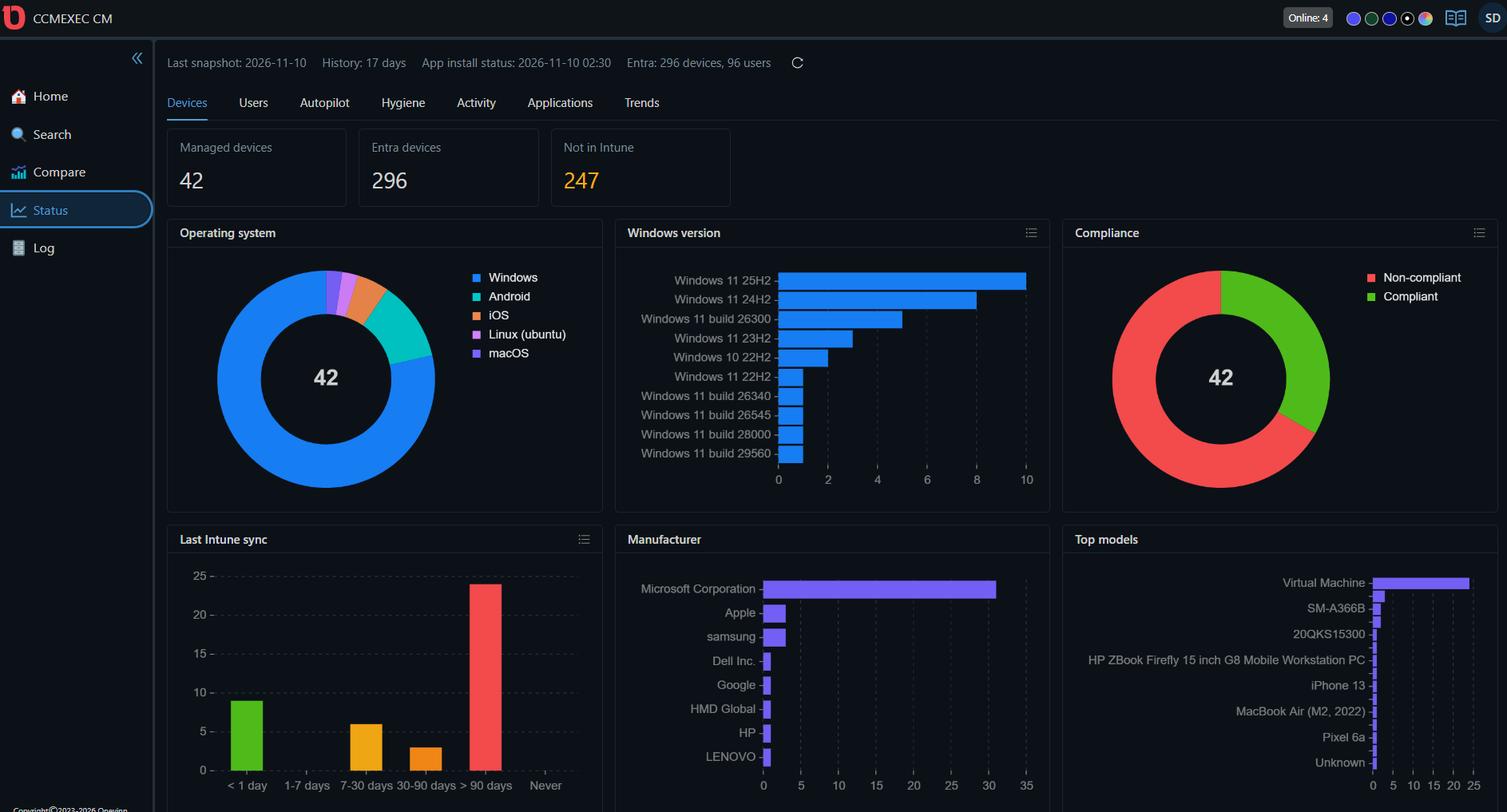
To further make it easier to troubleshoot we show device Compliance, configuration policy status and much more in the AdminCenter portal so we can do all our troubleshooting in the Portal without having to go back to the Intune Portal.
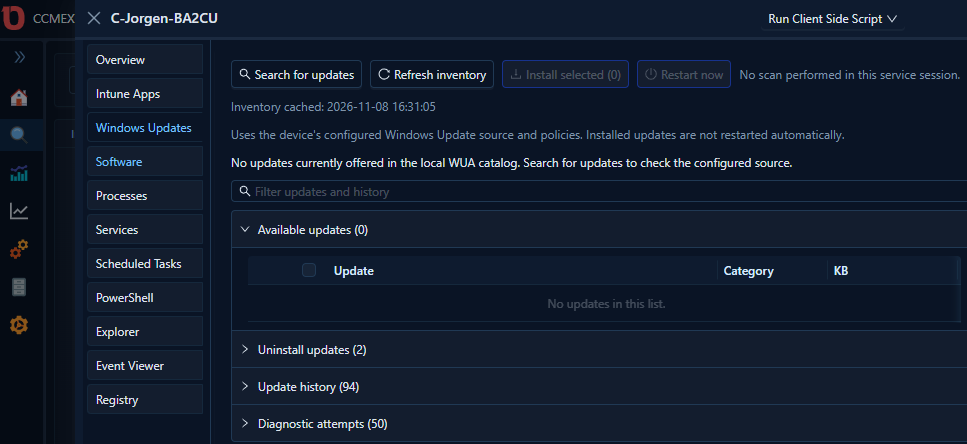
Get started with Onevinn AdminCenter for easy and simple user and client management.

   
Screenshot 2026-11-10 193911 1
Screenshot 2026-11-08 221158 1
Screenshot 2026-11-08 221133 1
Screenshot 2026-11-08 220716 1

Onevinn AdminCenter empowers your Service Desk and Client Technicians to resolve end-user issues quickly and efficiently, reducing the need for remote-control sessions and minimizing productivity loss for both users and IT staff. 


Onevinn AdminCenter comes with Remote Control and supports connecting remotely to the client when trouble- shooting. Onevinn AdminCenter Supports role-based deployment. lt will save a lot of time for each ticket Servicedesk is working in that is client related.


Want to talk with someone about Onevinn AdminCenter? 

Our other solutions:

User icon with a shield

SECURITY TESTING

Onevinn’s offensive security services provide systematic and thorough security audits on your applications or infrastructure to provide you with a clear understanding of your current security posture.
User icon with a shield

WORKPLACE SERVICES

In a world of Zero Trust, Mobile security is one of the most important strategies enterprises need to have in place for the future.
User icon with a shield

MANAGED SERVICES

New services requires new ways of handling and maintenance. We will automate the process and remediate the incidents. We simply take care of that for you.
Would you like to know more?

Onevinn helped Greenfood with proactive security

Read our reference case about our Security Strategy for Greeenfood AB

Two men looking at computer screen

Latest Blog posts

Welcome to us Beruh Gedefa